
The “Recommended Option” in Kajabi Checkout. What Is It?
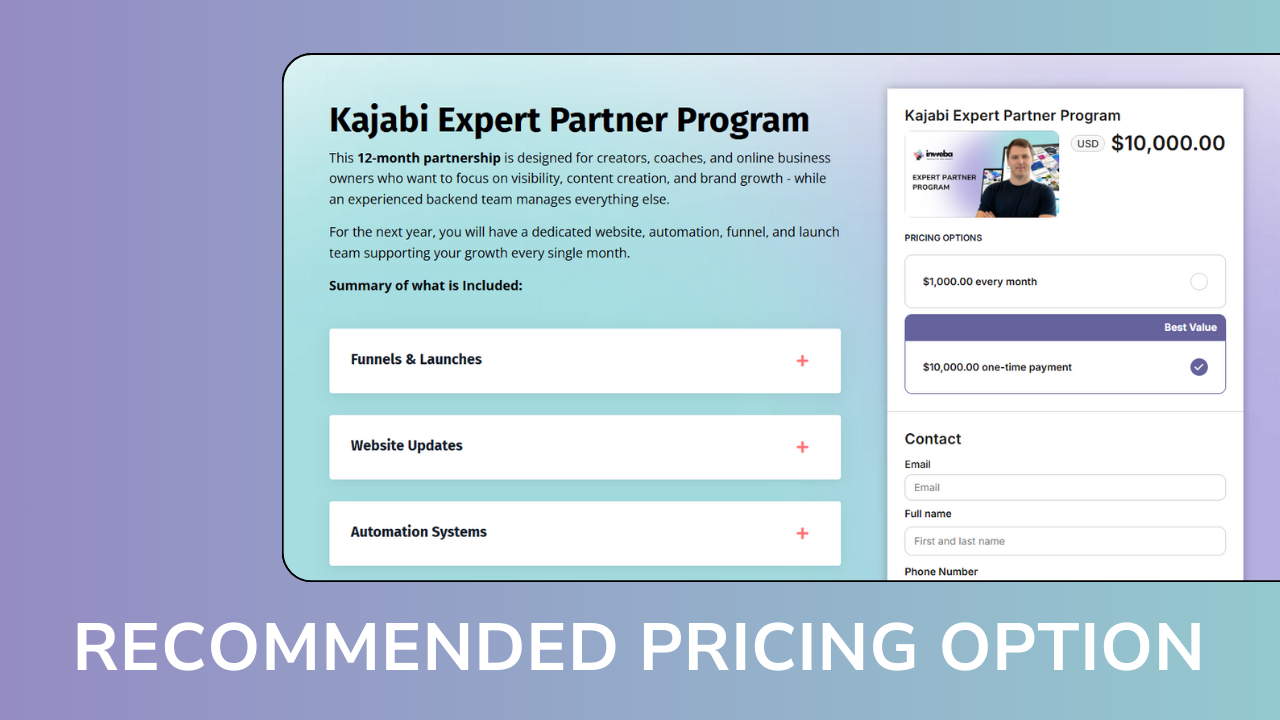
Kajabi continues to evolve - and one of the most impactful recent updates is the ability to highlight a Recommended Pricing Option directly on the checkout page.
This small visual change can make a big difference in how your audience chooses to pay.
Let’s break down what this feature is, how it works, and how you can use it strategically.
What Is the “Recommended Option” in Kajabi?
Previously, if you wanted to offer multiple pricing options (for example: pay in full vs monthly payments), you often had to create separate offers or rely on workarounds.
With Enhanced Checkout, Kajabi now allows you to:
-
Add multiple pricing options to a single offer
-
Display them all on one checkout page
-
Highlight one option as “recommended”
That recommended option is visually emphasized and becomes the default choice in checkout.
In other words, you’re no longer just offering choices - you’re guiding the decision.
How It Looks for Your Customer
From the buyer’s perspective, checkout becomes much clearer and more intuitive:
-
All pricing options are visible in one place
-
One option is clearly marked as the recommended or best value
-
The recommended option is pre-selected
-
Switching between options happens instantly, without reloading the page
This reduces friction and helps customers feel confident in their choice.
Checkout Page Example 1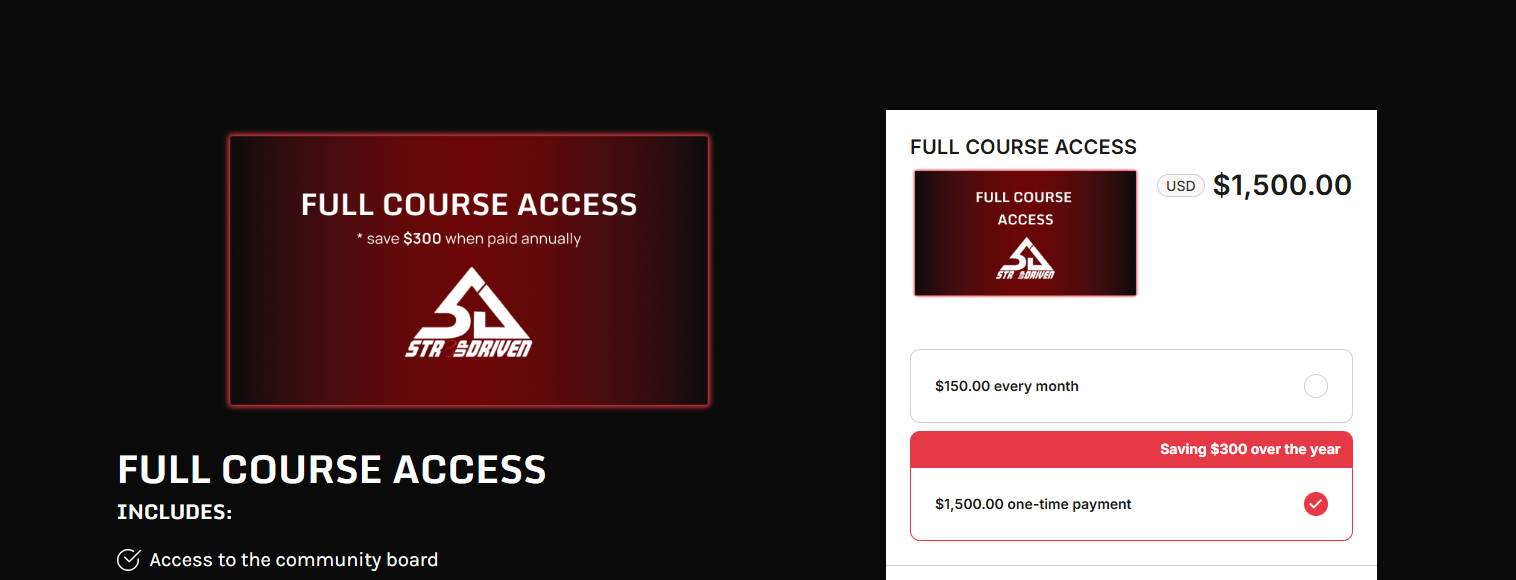
Checkout Page Example 2
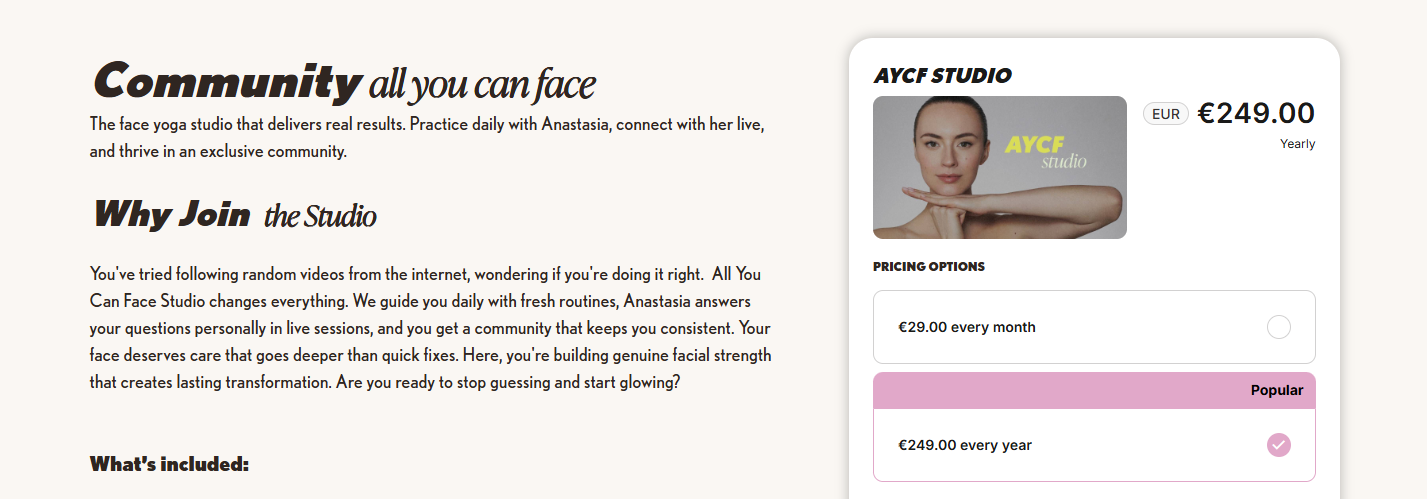
Checkout Page Example 3

Why This Feature Matters for Conversions
When people see too many equal options, they hesitate.
When one option is framed as the “smart” or “popular” choice, decisions become easier.
Using the Recommended Option helps you:
-
Nudge customers toward your preferred pricing (for example, pay-in-full)
-
Increase average order value
-
Reduce checkout abandonment
-
Create a more guided, premium buying experience
This is especially powerful when selling:
-
Online courses
-
Memberships
-
Coaching packages
-
High-ticket programs
How to Use the Recommended Option Strategically
Here are a few smart ways we recommend using it:
-
Mark “Pay in Full” as recommended to improve cash flow
-
Highlight a longer subscription as “Best Value”
-
Use labels like Most Popular, Best Value, or Recommended to align with your brand voice
-
Reorder pricing options so the recommended one appears first
Small details like order and labeling can have a real impact on behavior.
Important Things to Know
A few practical notes to keep in mind:
-
The offer must use Enhanced Checkout (not Legacy Checkout)
-
You can highlight only one recommended pricing option per offer
-
If you change your strategy later, you’ll need to recreate the pricing option (editing is coming soon)
Final Thoughts
This update might look subtle, but it’s a powerful upgrade to how Kajabi supports selling psychology.
Instead of forcing your audience to figure out what to choose, you can now lead them toward the option that works best for both of you - clearly, visually, and confidently.
If you’re already using Kajabi, this is a feature worth revisiting inside your offers.
And if you’re just getting started, it’s another reason Kajabi stands out as a platform built for real online businesses - not just course hosting.