
How to Improve Your Checkout Experience in Kajabi
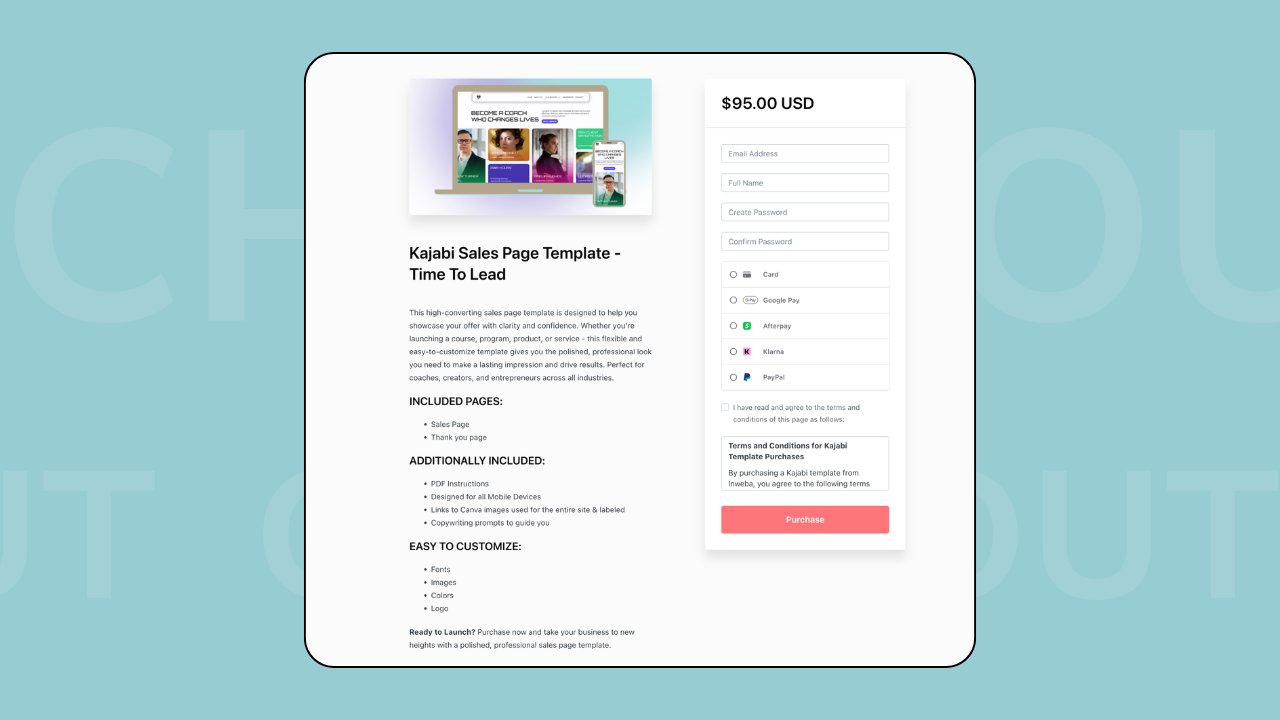
Many people focus on their sales page, their funnel, or their offer, but forget that the final decision often happens at the checkout.
A person may read your entire page, feel interested, click the buy button — and then leave because the checkout feels confusing, unclear, or not trustworthy.
Improving the checkout experience is one of the simplest ways to increase conversions without changing your whole website.
Keep the checkout simple
One of the most common mistakes is adding too many options at the moment of purchase.
When the checkout includes too many choices, the buyer starts to hesitate.
Try to keep the page focused:
- one clear offer
- clear price
- clear payment options
- clear next step
The easier it feels to complete the purchase, the more people will do it.
Make pricing easy to understand
Confusion about pricing is one of the biggest reasons people leave at checkout.
Make sure the buyer can quickly see:
- what they are buying
- how much it costs
- if it is one-time or subscription
- what is included
If you use payment plans or multiple options, the difference between them should be obvious.
Kajabi’s updated checkout makes it easier to show different pricing options without creating separate offers.
Build trust on the checkout page
The checkout page should feel as professional as the rest of your website.
Small details help:
- clear product name
- short description
- logo or branding
- consistent colors
- testimonials nearby (if possible)
People are more likely to complete a purchase when the page feels safe and familiar.
Explain what happens after purchase
Another important part of the checkout experience is what happens next.
Buyers want to know:
- Will I get access immediately?
- Where will I log in?
- Will I receive an email?
- What should I do after payment?
You can answer these questions with:
- short text on the checkout page
- clear thank-you page
- welcome email
- onboarding instructions
When the next step is clear, people feel more confident buying.
Check your checkout from the client’s side
Sometimes everything looks correct from the admin view, but confusing from the user’s side.
It’s useful to test your checkout as if you were a client:
- click the buy button
- go through the whole process
- read every message
- check the emails
- see what happens after payment
Small improvements here can make a big difference.
Don’t ignore the backend
The checkout is not only the page where people pay.
It’s part of a bigger flow that includes:
- offer setup
- access to the product
- automations
- emails
- thank-you page
When all these parts work together, the experience feels smooth and professional.
Final thought
If your sales are lower than expected, the problem is not always the offer. Sometimes the checkout experience makes the decision harder than it should be.
A clear, simple, and trustworthy checkout helps people feel confident and complete the purchase without hesitation.
If you need help setting up offers, checkout pages, or the full buying flow in Kajabi, we can help.
👉 Start your project with Inweba
https://www.inweba.com/start-your-project