
Kajabi's New Branding Settings Just Changed Everything
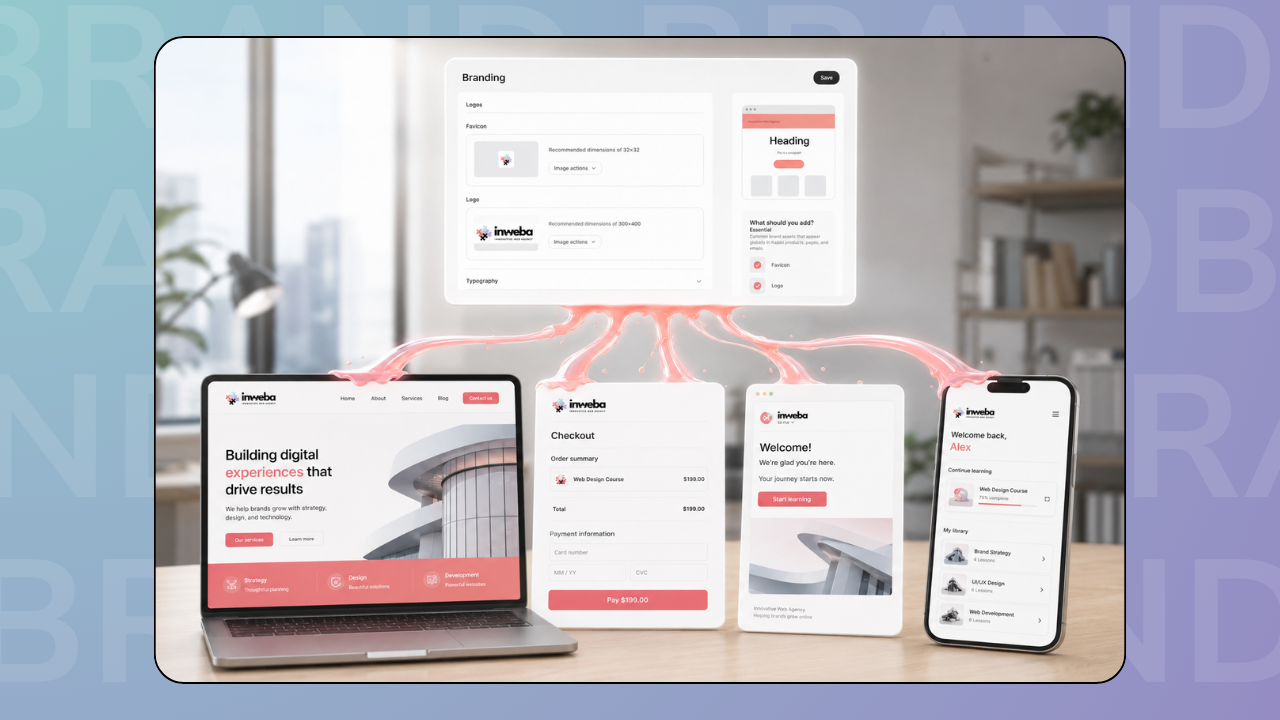
Kajabi just released a branding update, and if you've ever been frustrated with updating fonts and colors across your entire Kajabi account, this is a game-changer.
Before this update, branding was scattered. Your website might use one font, your emails another. Checkout colors were different from your course. Logos appeared in different sizes. Everything felt slightly disconnected.
Now, Kajabi's new Branding Settings let you set everything once – colors, fonts, logos, social links – and they apply everywhere automatically.
This is huge because it finally makes consistency actually achievable.
What actually changed
Before the update:
- You had to customize fonts and colors on individual pages
- Settings weren't centralized
- Changes to one page didn't affect others
- Hard to keep everything aligned as you built more
- Easy to end up with mismatched branding across your entire platform
After the update:
- One central Branding Settings location
- Set it once, applies globally across your entire Kajabi account
- Changes sync automatically everywhere
- Covers website, landing pages, courses, emails, newsletters, coaching programs
- Real-time preview before you save
It's elegant. And it works.
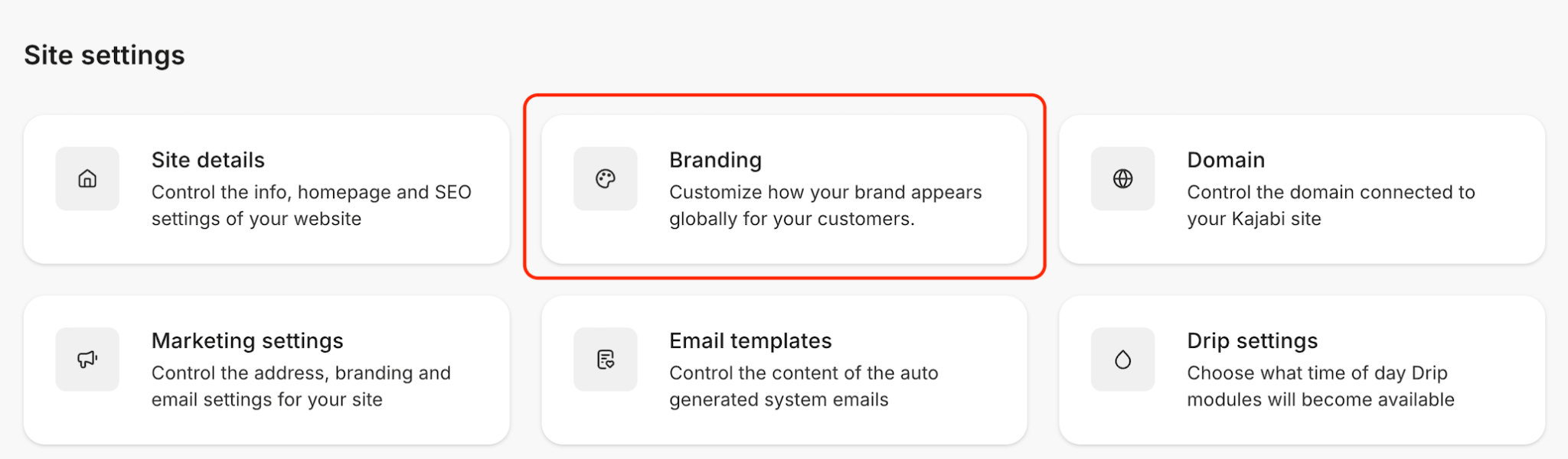
Where these settings apply (everywhere)
This is the powerful part. Your branding settings now apply across:
- All website pages
- Landing pages
- Sales pages
- Checkout pages
- Course pages
- Email campaigns
- Newsletter templates
- Coaching program pages
- Member area
- Community spaces
One update. Everywhere.
What you can now control globally
In the Branding Settings, you customize:
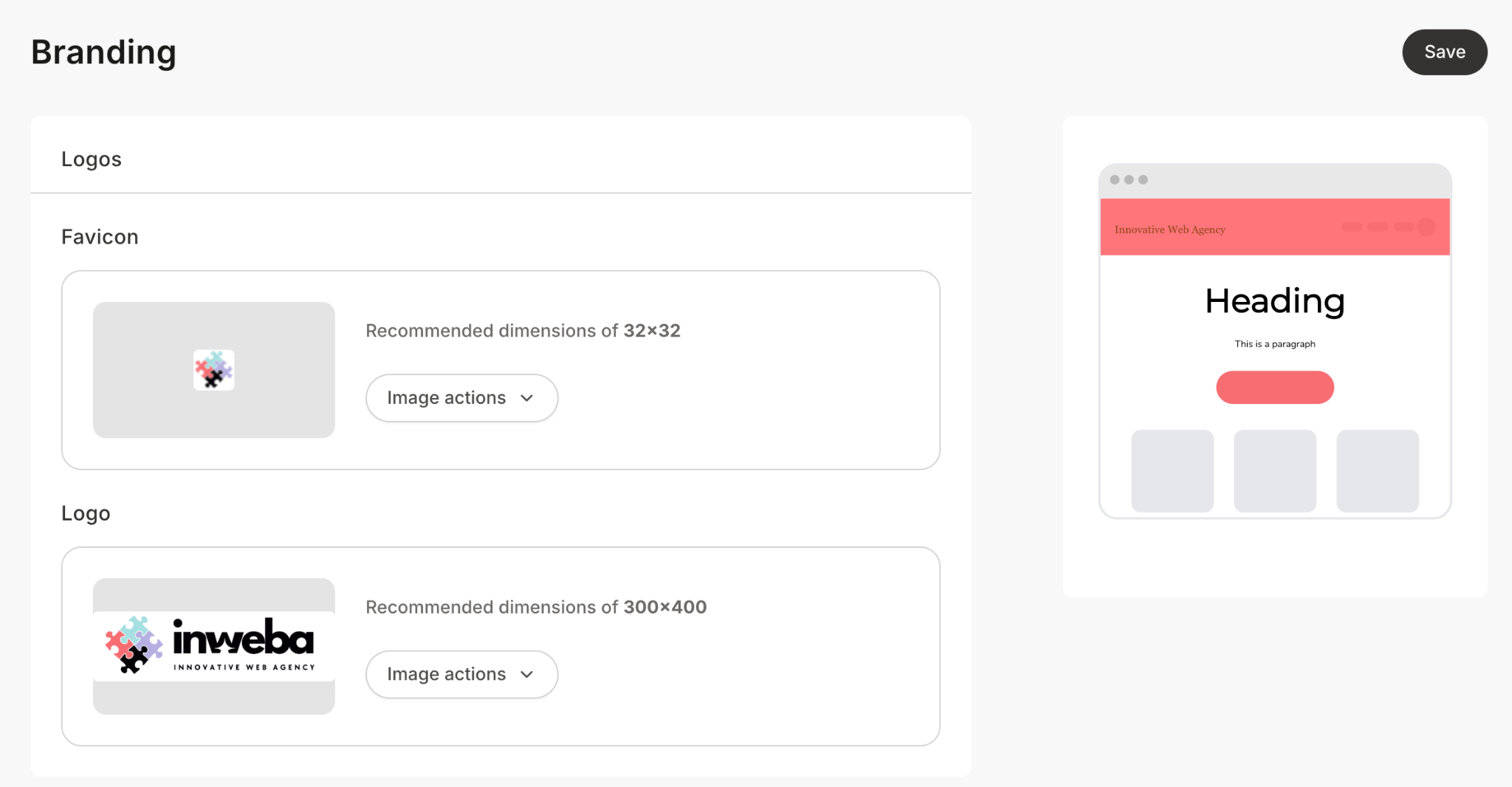
Logo – Upload once, appears consistently across your entire platform
Fonts – Choose your heading font and body font. They apply to everything that uses your global styles.
Colors – Brand color, accent color, and your full color palette. Consistent everywhere.
Social links – Add your social media links once, they appear everywhere they should
Real-time preview – See how your changes look before you save them
This is the kind of detail that matters but usually gets ignored because it's tedious. Now it's just... set it once.
Why consistency actually impacts trust
When someone visits your website, they also see your emails, your checkout, your course.
If all of these feel visually connected – same colors, same fonts, same logo – it immediately feels more professional.
When they're mismatched? People feel it. Even if they can't explain it, they notice. It makes everything feel slightly less trustworthy.
A well-branded experience feels intentional. Like someone cared about how it all comes together.
A fragmented experience feels improvised. Like you threw it together without thinking.
Trust drives conversions. And consistency builds trust.
What happens if you've already customized pages
Here's an important note: if you've already customized specific pages (unlinked from the global settings), those stay as they are.
You can manually resync them to the global branding if you want. Or leave them customized.
It's flexible. You're not forced to change anything that's already working.
How to think about this
The new Branding Settings exist so you don't have to choose between consistency and customization.
You get both.
Set your global branding so your main experience is cohesive. But if a specific page needs something different, you can still customize it.
It's the best of both worlds.
A practical example
Let's say you have:
- A homepage with your main brand colors and fonts
- A course landing page
- An email campaign
- A checkout page
- A community area
Before: These all looked different because you set them up at different times.
After: They all match because you set your branding once.
Customer journey feels like one connected experience. Not five different things.
Final thought
Consistency is one of the cheapest, fastest ways to build trust. And the new Branding Settings finally make it automatic instead of tedious.
If you've been putting off getting your branding consistent because it seemed like too much work, now's the time. It's much easier.
If you want help setting up your branding consistently or redesigning your pages to align with your new global settings, we can help.
👉 Start your project with Inweba https://www.inweba.com/start-your-project